 Sottovoce
For blind and low-vision children
Blind children hear the lesson. Sottovoce tells them what is on the board.
When a teacher says "look at this", a blind child is left out. Sottovoce pauses the video and describes what is on screen, from the number on the board to the experiment on the desk, in words a child understands. A second AI checks every description against the picture, and the teacher approves anything it is unsure of.
Loading the lesson…
Written by one open model and checked by another, both running on AMD Instinct GPUs. The lesson waits while it is spoken.
Lesson: NASA STEMonstrations, Moon Phases (public domain). The descriptions are real Sottovoce output, unedited.
The problem
"Look at this" leaves a blind child out.
Lessons are full of things only the eyes get: the formula on the board, the arrow on a diagram, the colour change in an experiment. Describing a video takes a trained describer, so almost none are described, and support teachers fill the gap as best they can.
<5%
of educational videos were described, in a national survey of US educators who teach blind students.
Described and Captioned Media Program, 2009
76,160
blind and low-vision students registered in US schools.
American Printing House for the Blind, January 2025
359,000
pupils with disabilities in Italian schools; about 7% have a visual or hearing disability.
ISTAT, school year 2023/24
April 2027
US public schools and universities must make course video accessible, including audio description. "There is no exception for educational course content."
ADA.gov, Title II web rule
How it works
A lesson that waits for the child.
On two NASA lessons, 24 of 32 descriptions were longer than the teacher's pause. Ordinary audio description would drop them or rush them. Sottovoce made the lesson wait: 100 seconds over 8.5 minutes of lesson.
- 01
Listens to the teacher
It transcribes the lesson and finds every moment the teacher points at the screen: "look at this", "you can see", "guardate", "ecco".
- 02
Pauses when it matters
Right after the teacher points, in the natural pauses, and whenever the picture keeps changing with nothing described.
- 03
Writes for a child
A vision model reads the board, numbers and formulas exactly, explains a diagram by how it is built, and uses short sentences and simple words.
- 04
Checks every claim
Qwen3.8, a different model family, checks each claim against the picture. A wrong number would teach a child something false, so it goes back.
- 05
Speaks while the lesson waits
A natural voice reads the description and the video holds until it ends. Nothing the teacher says is talked over.
- 06
The teacher approves
Only verified or approved lines reach the child. Edit any line and it is checked, re-voiced and re-mixed in about half a minute.
Hear it
What a blind child hears, with Sottovoce.
Real moments from the NASA lesson. The teacher points; the lesson pauses; Sottovoce says what she means. Press play to hear the real voiced line.
- Loading the lesson…
Ask the lesson
A child can stop the lesson and ask.
Pause anywhere and ask about the picture out loud. The answer comes from the frame on screen and is checked before it is spoken. If the picture does not show it, Sottovoce says so. These are real answers from the live app, at the diagram after "let's take a look".
- Loading real answers…
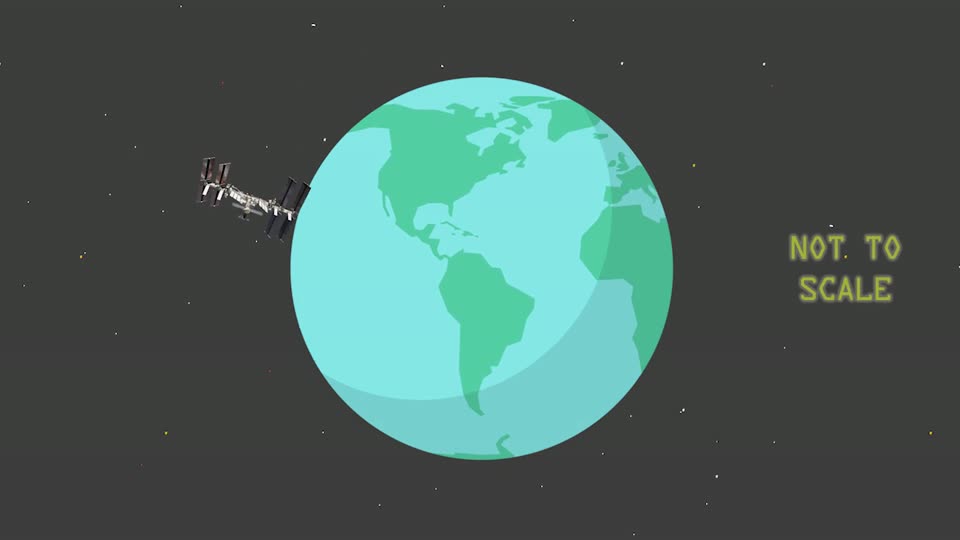
Put on headphones. Each thing is said from its side of the picture, so a child hears how a diagram is laid out.
For every age
One picture, three ages.
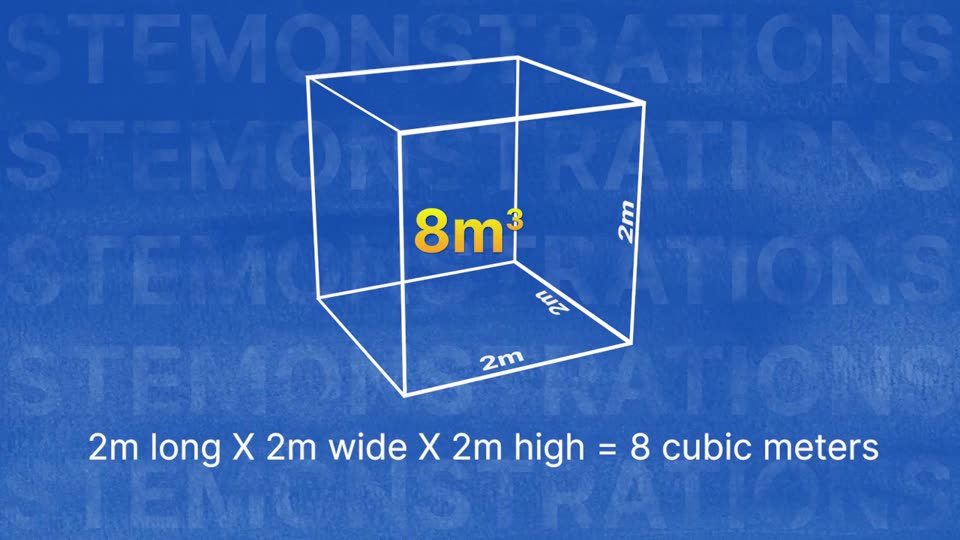
The same frame of the Area and Volume lesson, described for a child of six, of ten and of fifteen. The checker verified each line against the picture.
- Loading…
The checker
A second model reads every line against the picture.
The checker splits each line into claims about objects, numbers, words on the board and what happens, and checks each one against the frames. It was tested by planting a false detail in lines it had already approved.
Here, a number on the board was changed. The checker caught it.
Planted line
The line Sottovoce actually wrote, verified
Measured, not promised
What it did on two real lessons.
Two NASA lessons for children, run through the live models. Small samples, honestly reported.
–
of planted errors caught
–
correct lines wrongly flagged
–
model cost per minute of lesson
AMD Token Factory list prices
–
lines verified
Who it is for
The people who get a lesson to a blind child.
Support teachers
Prepare a described lesson in minutes instead of improvising at the desk. Read every line, approve the few the checker could not confirm, and fix any in one click.
Schools and universities
WCAG 2.1 AA asks for audio description on recorded video. In the US the deadline is April 2027; in Italy the Legge Stanca applies to public schools and universities.
Families
Describe the videos a child is set for homework, so they can follow along without someone beside them.
Publishers and learning platforms
Ship a described version of every video in a catalogue, with a WebVTT descriptions track that works in any player.
For developers
A learning platform can ask for a line.
The describe-and-check loop is a Google ADK agent, also served over the A2A protocol. Send keyframes and get back a line with every claim's verdict. The agent card is at /a2a/.well-known/agent-card.json.
POST /a2a   A2A-Version: 1.0
{"jsonrpc": "2.0", "id": 1, "method": "SendMessage",
 "params": {"message": {"role": "ROLE_USER", "parts": [
   {"raw": "<jpeg, base64>", "mediaType": "image/jpeg"},
   {"text": "{\"words\": 20, \"audience\": \"en\",
             \"focus\": \"Look at this graph.\"}"}]}}}

→ {"line": "…", "status": "verified",
   "claims": [{"text": "…", "verdict": "supported"}, …]}
Questions
Before you try it.
How accurate is it?
Every line is checked against the picture by a second model, and that checker is measured by planting false details. Nothing reaches a child unless the checker verified it or a teacher approved it.
What if the teacher never stops talking?
The lesson waits. Sottovoce holds the picture after the sentence, speaks the description, then lets the teacher carry on. It also steps in when the picture keeps changing and nothing has been described for a while.
Which languages and ages?
Italian and English, written for children of about 8 to 13. You get the described video, a separate narration track and a WebVTT descriptions file.
What runs on AMD?
Every vision call. Gemma 4 writes and Qwen3.8 checks, both open models on AMD Instinct GPUs through AMD Token Factory. When Gemma 4 was taken off Token Factory for a day (Oct 16), the DeepSeek backups on the same platform wrote every line, and each line says which model wrote it.
Can our lessons stay private?
The hosted version keeps uploads in a private bucket in the EU (Milan) and sends only keyframes and transcript snippets to AMD Token Factory. The models are open, so a school network or publisher can run them on its own AMD GPUs.
Does it describe people's appearance?
It describes what people do and hold when it matters for the lesson. It never describes skin colour or ethnicity.
Describe your first lesson.
Upload up to five minutes of video. Watch every description get written and checked, then listen as a child would.
Describe a lesson